
Guide
Connecting your platforms
Link X, LinkedIn, Instagram, and Facebook.
What this covers
Staffiva publishes to your social networks and reads back their metrics through accounts you connect. You connect them under Platforms — during onboarding or any time afterward. Connect only the networks you actually use; you can add more later.
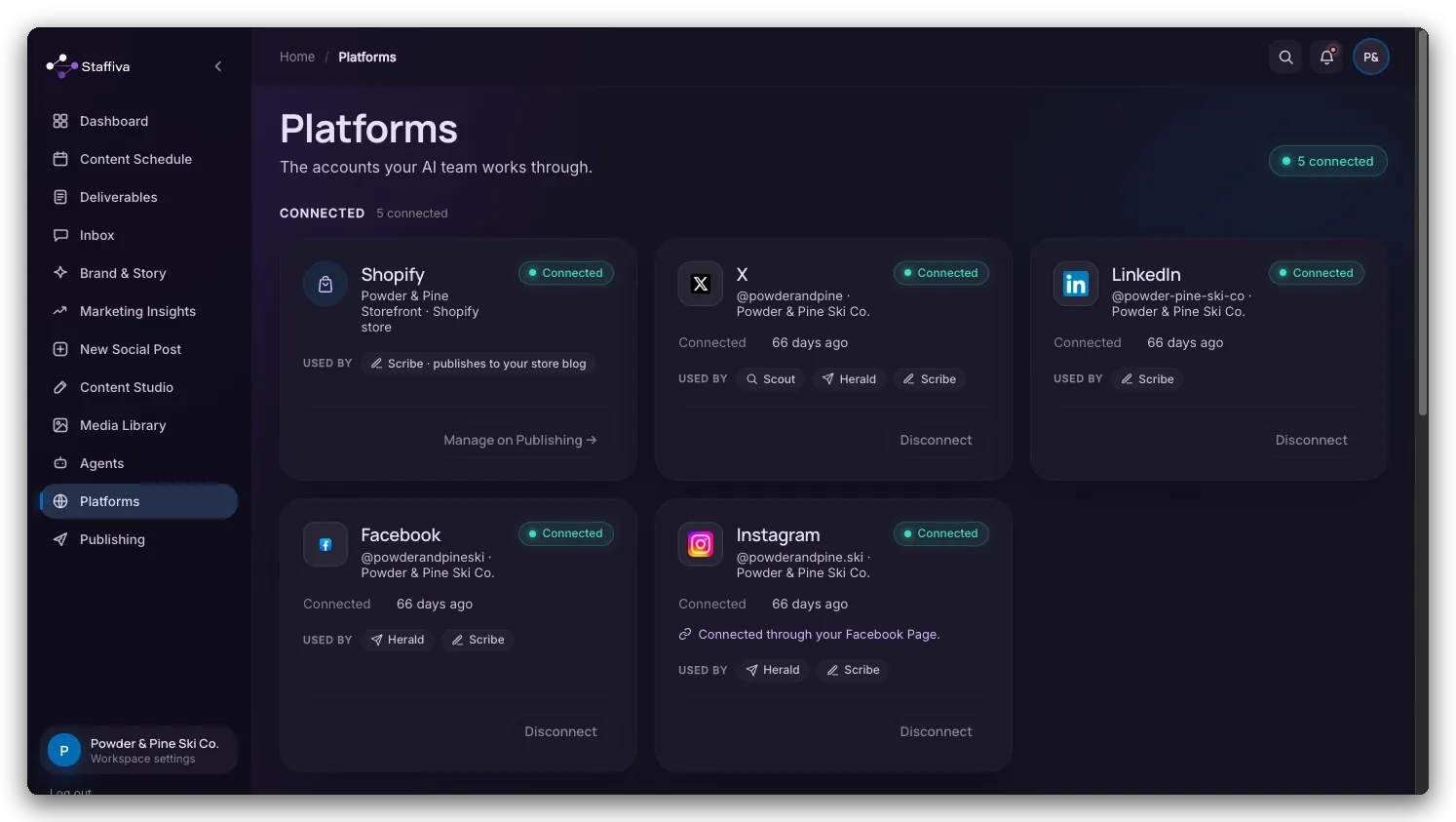
The networks Staffiva works with
- X (Twitter) — connect with OAuth. Scribe posts text, images, threads, and Reels; metrics flow back; Herald watches your mentions.
- LinkedIn — connect your organization Page with OAuth. Scribe posts text, images, and video; metrics flow back.
- Instagram — connect through your linked Facebook account or directly. Scribe posts to your feed and Reels; Herald handles comments and DMs.
- Facebook — connect your Page with OAuth. Scribe posts Page updates and Reels; Herald handles comments and DMs.
For each connected network, Staffiva does three jobs: it publishes the posts you approve, pulls the resulting metrics back into your reports, and — where the network supports inbound — routes mentions, comments, or DMs to Herald. Connecting is a one-time step per account; after that the agents work only within the permissions you granted.
How to connect one
- Open Platforms. You'll see a tile for each network with a Connect button.
- Click Connect and sign in. You complete that network's own sign-in, then it hands Staffiva permission. Access tokens are encrypted at rest.
- Repeat for each network you use. You can connect during onboarding so your very first drafts have somewhere to go.
Per-network posting controls
Each connected network has its own settings, so one size never has to fit all:
- Auto-post on or off — off by default. A network can only auto-post once it has a publishable connection and you switch it on.
- Posts per week and preferred days and times — so content lands on a steady cadence instead of clustering on one day.
- What Scribe may make there — images, video Reels, threads, and carousels are each toggleable per network, and you can turn Scribe off entirely for a network you'd rather post to by hand.
Two connections that live nearby
- Google Search Console (under Marketing Insights) — connect it for first-party search data: real clicks and impressions instead of estimates.
- Your website (under Platforms → Article publishing) — connect where you push long-form articles. See Publishing articles to your site.
What to expect
Connecting a network doesn't hand it the keys. Review-first still applies: Scribe drafts, you approve in Deliverables, and only the networks you explicitly set to auto-post ever publish on their own. Metrics from every connected network flow back automatically, so your Dashboard and monthly report stay current without you exporting anything by hand.