
Guide
Reviewing and approving content
Nothing posts without your say-so — here's the flow.
What review-first means
By default, Staffiva drafts but never publishes on its own. Scribe starts in review mode, so content waits for you. You decide what goes out, polish what's close, and skip what isn't you. Nothing is posted behind your back.
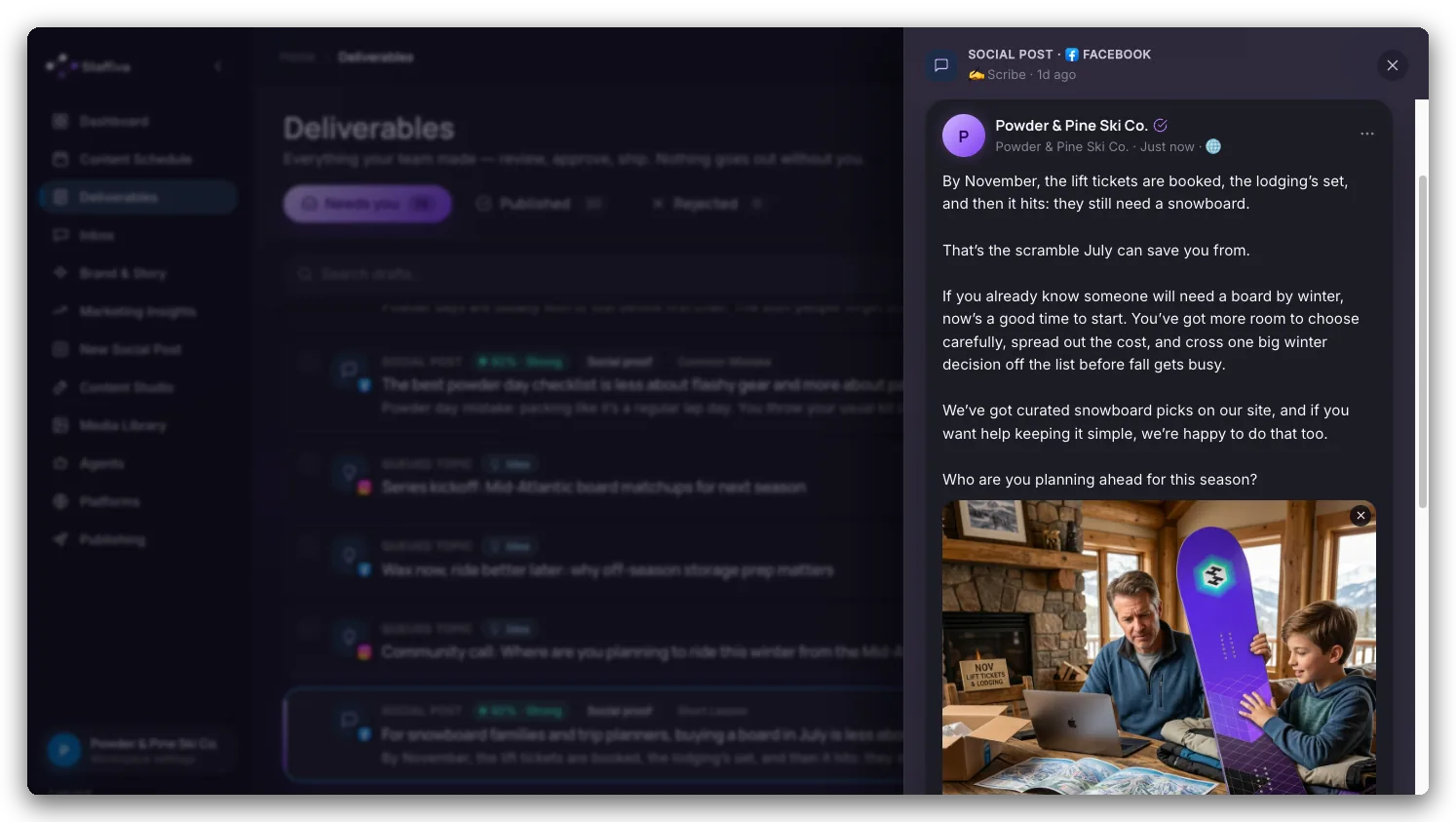
Where content shows up: Deliverables
Drafts land in Deliverables, a single feed of everything the agents have prepared. For each item you can:
- Approve and send it to the network.
- Edit the copy or regenerate the draft.
- Mark it as posted, if you published it yourself.
- Post a variant tailored for another network.
Publishing is single-instance: once an item is claimed for publishing it can't be double-sent, so you won't accidentally post the same thing twice.
The quality behind every draft
By the time a draft reaches you it has already been shaped. It's written in your brand voice, grounded in the real facts you keep under Brand & Story, checked against a self-critique pass, de-duplicated so you don't see the same idea twice, and screened by a banned-phrase guard. Images get their own quality check before they're attached. Proof points from Your Story are rotated so the same win doesn't show up in every post, and each draft is written to its network's format rather than one generic version copied across every feed.
Adding your own ideas
Have something specific in mind? Use New Social Post to drop in an idea, and the agents draft it on their next run. Behind the scenes an editorial planner keeps a steady calendar around your content pillars, and cadence rules make posts land at the frequency you set instead of bunching up on one day.
Handling inbound: the Inbox
Your Inbox is one place for the leads Scout finds and the mentions and DMs Herald catches. For each one you can send a reply, mark it replied, or rate it. Herald drafts an on-brand reply with a quality score — approve it in a click, or copy it and handle the conversation yourself. Each thread stays on a short leash: a per-conversation turn cap keeps Herald from spiralling into an endless back-and-forth, so you remain the human in the loop.
The autonomy dial
Scribe has one autonomy setting, under Agents → Scribe. It is a single dial for your whole workspace — not a setting per network — and it decides how early in the work Scribe involves you:
- Suggest — the most hands-on, not the least. Scribe holds each idea in the Ideas tab on Deliverables so you can choose its image (or turn it into a Reel) before anything is written. No post is drafted until you shape it — or until that idea's decision deadline passes, at which point Scribe picks for you rather than miss the slot.
- Review (the default) — Scribe drafts on its own, then waits for your approval in Deliverables.
- Autopilot — articles and posts publish with no review step. Choosing it switches Auto-post on for every connected channel.
Which networks publish without you is a separate, per-channel control. Every connected channel on the same page has its own Auto-post toggle: on means it publishes to that network automatically, off means the draft is held in your review queue. The dial presets those toggles when you change it — Autopilot turns them all on, Review and Suggest clear them — and you can edit any of them before you save. So you can let your steadiest channel post by itself while keeping a closer eye on another, and you can move any of it back the moment you want a closer look.